Fly the leg. It does the paperwork.
Our own flight tracking application for Windows. It reads Microsoft Flight Simulator and X-Plane directly, carries your SimBrief flight plan while you fly, puts you on the live map, and files the report the moment you set the parking brake at the gate. No FSUIPC, no XPUIPC, no plugins and no configuration files.
Free, no application to be approved, and it updates itself after the first install.
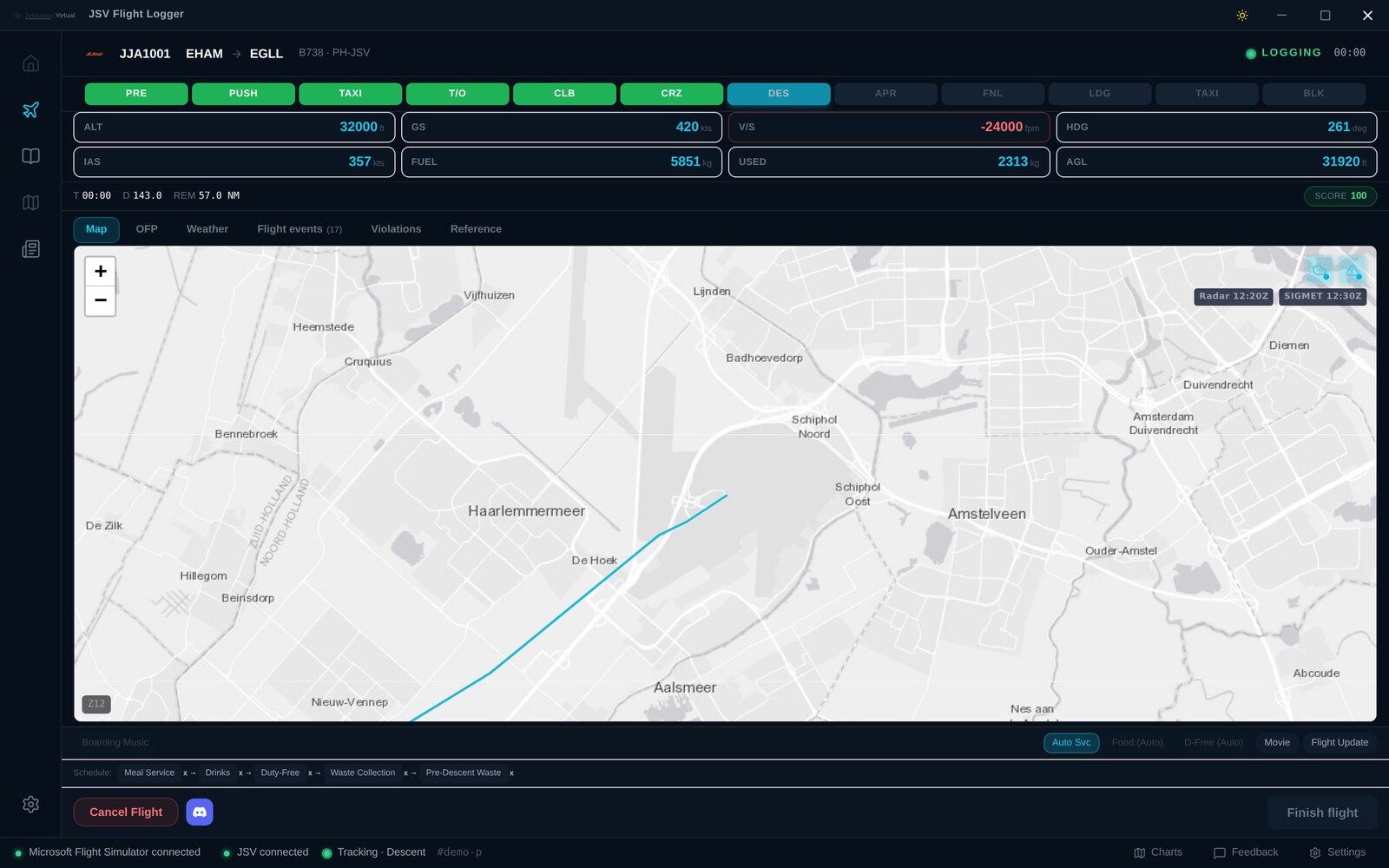
What the Logger does
Close to ninety values are read out of the simulator every five seconds, from the moment you release the parking brake at the stand until you set it again on arrival. During the takeoff roll it samples ten times a second, because that is where a second of missing data would matter.
Live tracking
Your position appears on the public live map as you fly, with your planned route drawn alongside the track you are actually flying.
Automatic reports
Off blocks, airborne, landed and on blocks are taken from the aeroplane, not typed in. Flight time, fuel burn, distance, route and landing rate come with them.
SimBrief flight plans
Your operational flight plan loads straight into the app. Route, navigation log, fuel and weights sit next to the map while you fly, and fuel on board is compared against the plan leg by leg.
Landing analysis
Touchdown rate, where on the runway you put it down, and the approach that led there, plotted on a runway diagram on your report and your profile.
Flight rules
Taxi speed, lights, overspeed, stall and the rest are watched through the flight, so afterwards you can see exactly where the standard slipped and by how much. The scoring is written down.
It survives a crash
If the simulator or the machine goes down, the sector is held open for six hours and offered back with its block times and distance intact.
A flight, screen by screen
Every screen below is the Logger itself, shot on a demonstration leg from Amsterdam Schiphol to London Heathrow in a Boeing 737-800. Nothing has been mocked up or drawn for the occasion. Click any of them to see it full size.
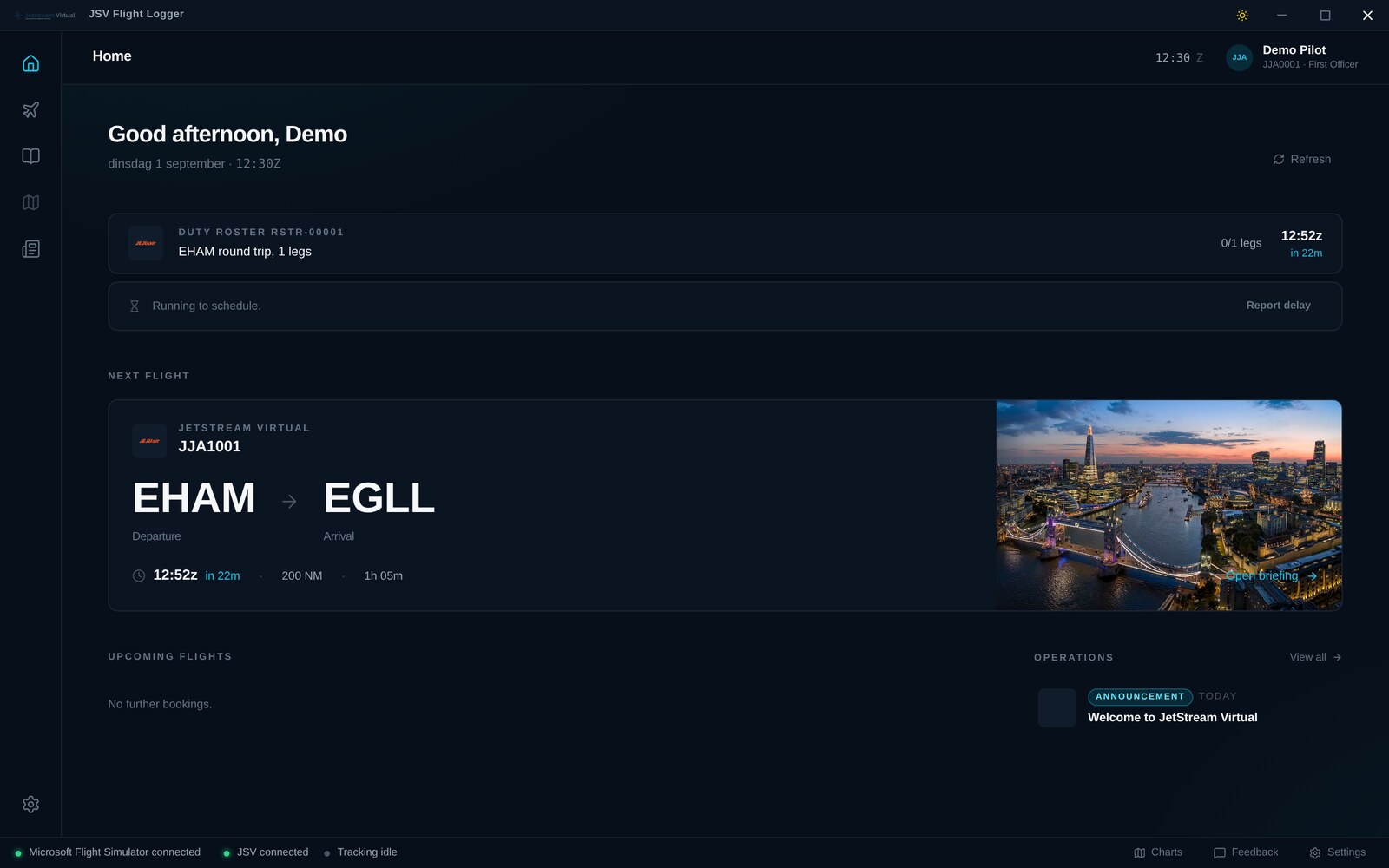
Your roster and the next flight out
The Logger opens on the flight you are due to operate. If you are running a duty roster it reads it from JetStream Virtual and shows the reference, how many legs are done and when the next one is off blocks. The countdown is measured against the server's clock rather than your machine's, so the app and the website never disagree about how long you have. If the day has slipped, you can say so from here and the rest of the roster moves with it.
The briefing, before you push back
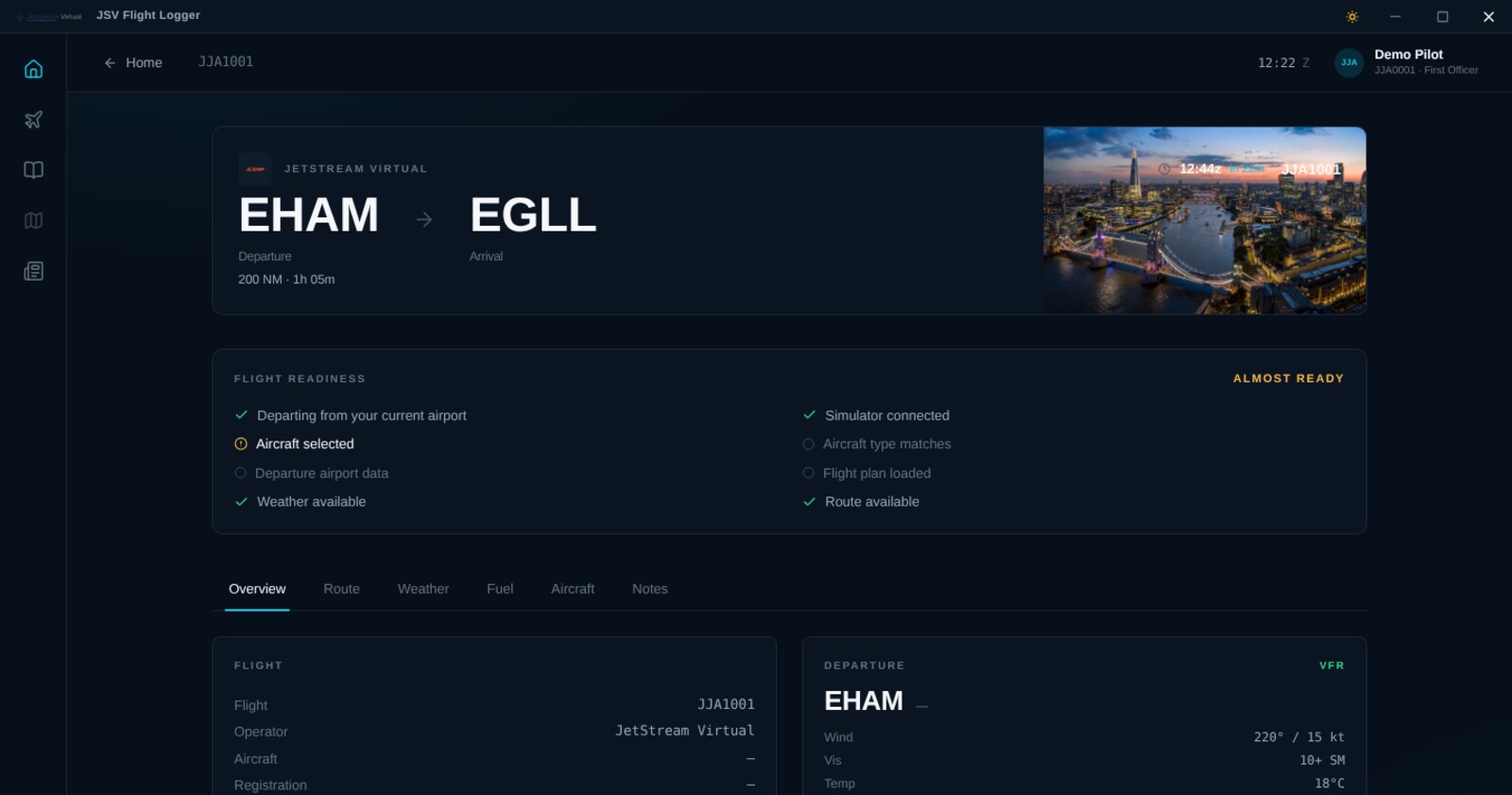
Opening a flight gives you the briefing: schedule, aircraft, weather at both ends, the operational flight plan and a readiness list. The readiness checks are the things that go wrong: no simulator connected, no aircraft chosen, an aircraft type that does not match the flight plan, or a booking made at an airport you are no longer at. Each one is answered before you press Start rather than as an error afterwards.
Everything, timestamped
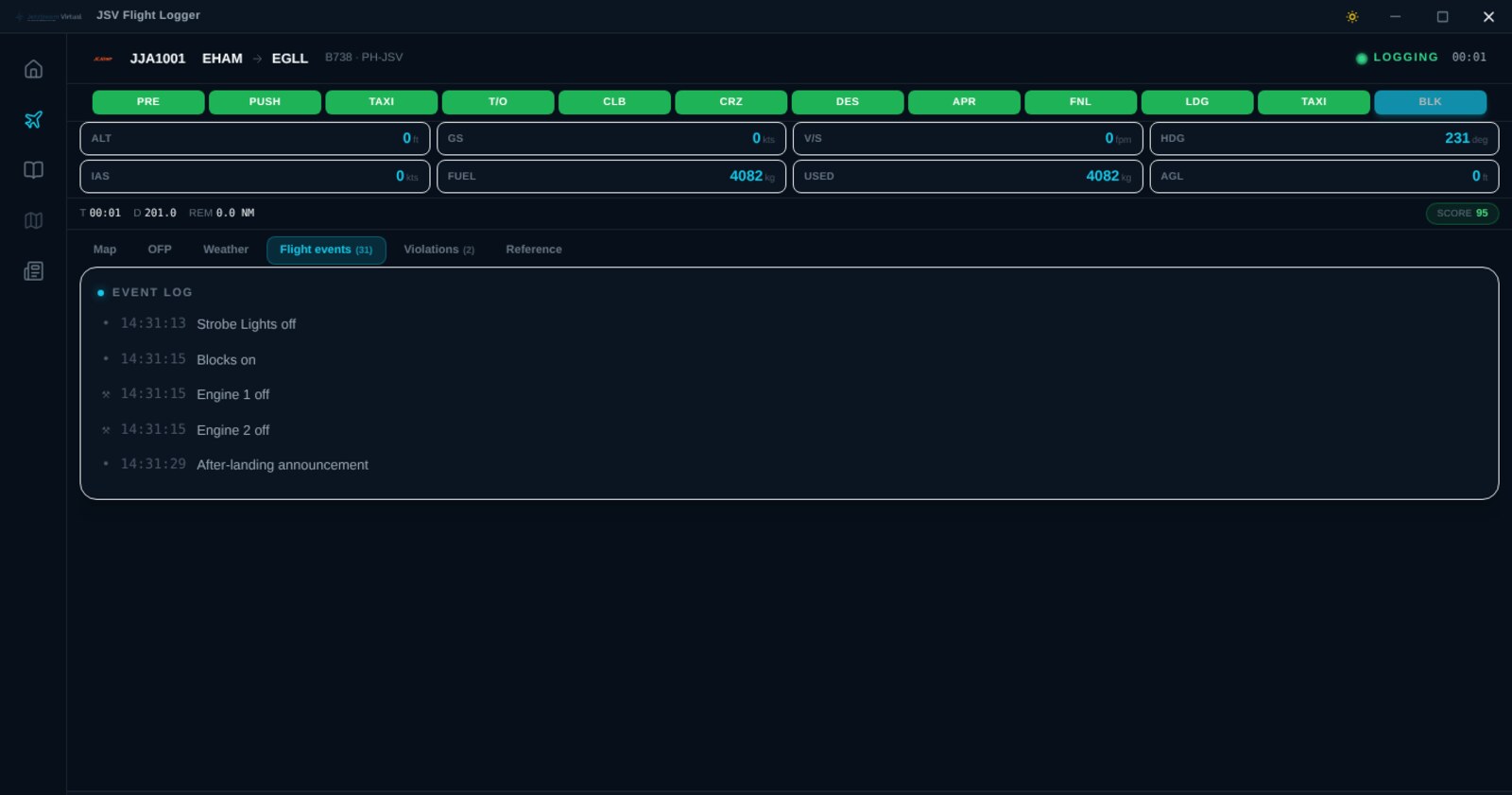
Engine starts, lights, gear, flap settings, altitude crossings, phase changes and rule breaches are written down as they happen, with the time and the position. The list is the flight's own record of itself, and it travels with the report, so a review afterwards is reading rather than guessing.
On blocks
The phase strip fills in as the flight goes, and the last block closes when the parking brake goes on at the stand. Block time, air time, distance flown, fuel used and the score are all settled by then. Nothing is asked of you at this point except whether you want to file. The twelve phases are documented if you want to know what triggers each one.
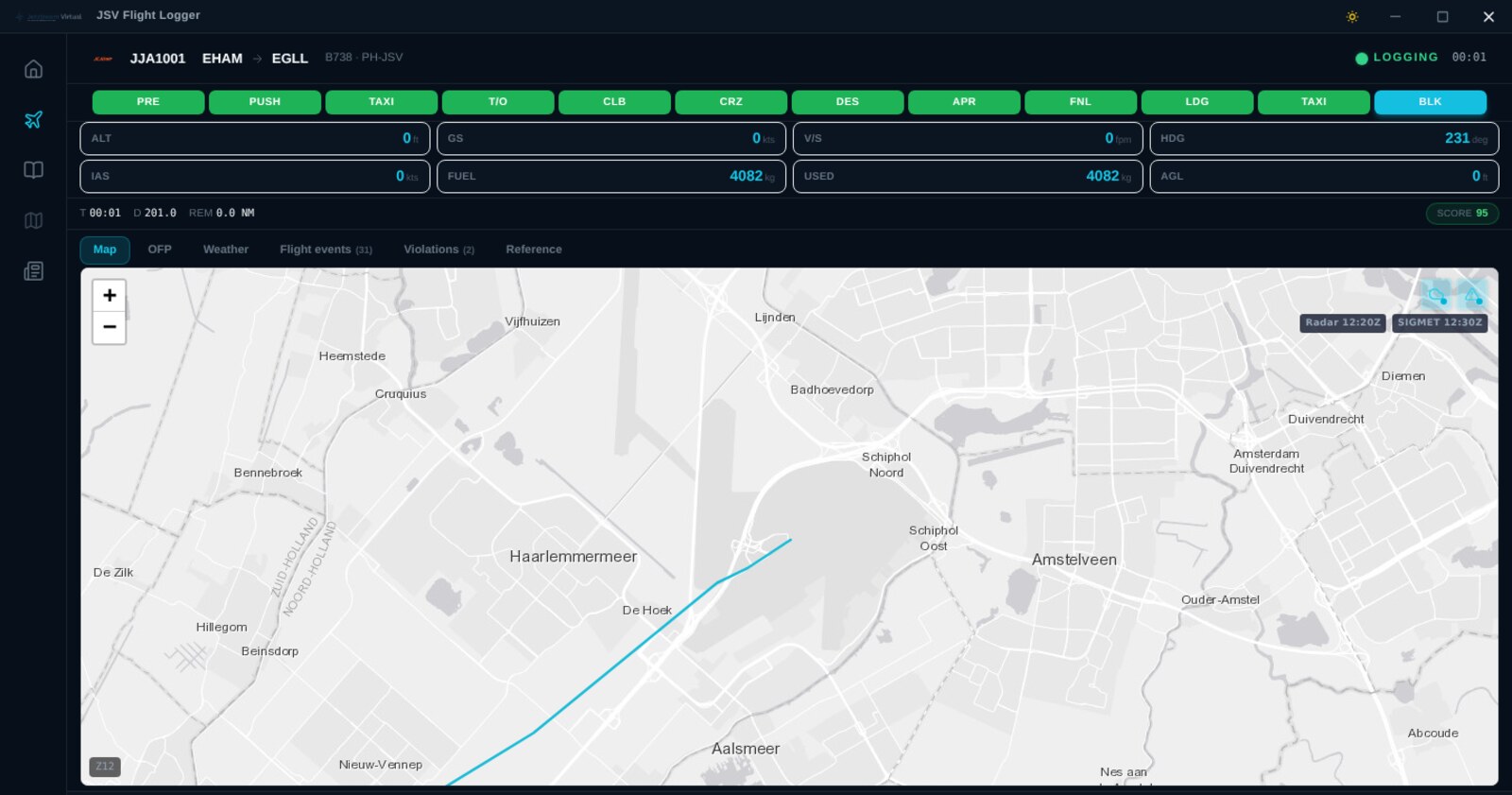
The report files itself
Press file and the pilot report goes to JetStream Virtual complete: OOOI times, flight time, distance, fuel used, landing rate, the touchdown position, the route flown, every event and every rule breach. If the connection is down it is queued locally and sent when it comes back. There is no form to fill in.
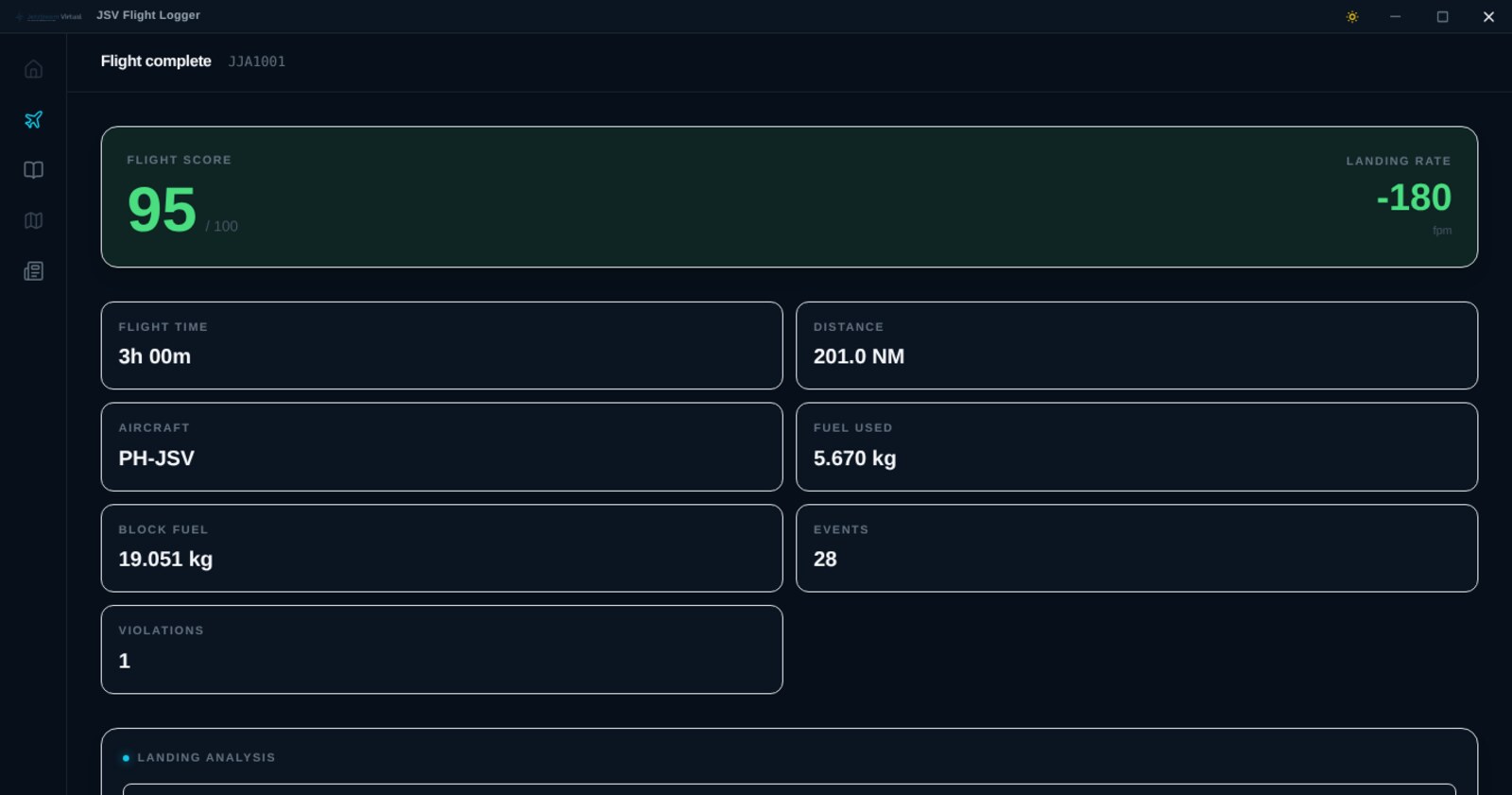
What it reads from the simulator
All of it comes out of the simulator itself. Nothing is estimated, inferred from your schedule, or asked of you in a dialog box. There is a deeper walkthrough of the telemetry in the library.
| Group | What is read |
|---|---|
| Position | Latitude, longitude, altitude above sea level and above ground, heading true and magnetic, pitch, bank and g-load |
| Speed | Groundspeed, indicated airspeed, true airspeed, Mach number and vertical speed |
| Engines | Running state, N1, N2, EGT, fuel flow, oil pressure and temperature, thrust reversers and engine anti-ice, per engine |
| Fuel and weight | Fuel on board, total fuel flow, gross weight and centre of gravity |
| Configuration | Gear, flap percentage and handle position, spoilers, parking brake, autobrake and all three trims |
| Lights | Landing, strobe, navigation, taxi, beacon, logo, wing, recognition, panel and cabin |
| Automation | Autopilot state and its selected heading, altitude, speed and vertical speed, and autothrottle |
| Navigation | Next GPS waypoint and distance, desired course, localiser and glideslope deviation, tuned navigation and COM frequencies, transponder code |
| Systems | APU, battery, hydraulic pressure, pitot heat, windshield anti-ice, structural ice, cabin altitude, cabin rate and cabin temperature |
| Cabin | Seatbelt and no smoking signs, and any door open |
| Environment | Wind speed, direction and gusts, outside air temperature, barometric pressure, visibility, precipitation state and cloud base |
| Ground | Gate and runway assignment from the simulator, and the aircraft title, type and ATC identity actually loaded |
Simulator support
Both connections use what the simulator already provides. There is no FSUIPC, XPUIPC or WASM module to install on either side, and no bridge application running in the background. The differences between the two are listed in full.
- Connection
- SimConnect
- Extra software
- None, it ships with the simulator
- Sample rate
- Every 5 seconds, 10×/second on the roll
- Gate and runway
- Read from the simulator
- Connection
- Native UDP, port 49000
- Extra software
- None, no plugin needed
- Sample rate
- Every 5 seconds, 10×/second on the roll
- Gate and runway
- Limited at some airports
X-Plane pilots: the app listens for X-Plane's replies on UDP port 49100, which Windows Firewall blocks by default. The installer offers to add the rule for you, and there is a walkthrough in the library if you would rather do it yourself.
When something goes wrong
Simulators crash and connections drop. Neither should cost you a sector you have already flown.
The simulator dies
The flight is held for six hours from the last position recorded. Start the app again and it offers the sector back with the same report, block times and distance flown. Time on the ground is written into the report as an interruption rather than counted as flying.
The connection drops
Positions, events and logs go into a local database and are sent when the network comes back. Filing is retried too, and a report that reached the server before the reply went missing is recognised as filed rather than reported as a failure.
Something breaks
Errors are reported with the tail of the app's own log attached, so a problem can be diagnosed without asking you to find a file in AppData. You can send a note from inside the app at any time, and there is a troubleshooting guide.
Getting it running
Four steps, and the last one is flying.
Create a JetStream Virtual account
Free, and there is no application to be approved. Register, confirm your email address, and you have a pilot ID.
Download and install the Logger
Sign in and take the installer from the Flight Logger page. It updates itself from then on, so this is a one-off.
Sign in with the same account
The email address and password you use on the website. That is the whole configuration: the app finds your simulator by itself.
Book a flight and fly it
Pick a route, build the flight plan, select it in the Logger and go. The report files itself when you set the parking brake at the gate.
Current build
Bug fix that could potentially stop from filing the flight correctly.
Full version history and release notesThe Logger, documented
Every screen and every behaviour has a page in the documentation library, written against the build that is out now.
Questions people ask
If the answer you need is not here, the general FAQ and the Logger troubleshooting guide go further, and you can always ask us.
Is the JSV Flight Logger free?
Yes. The Logger is free, and so is everything else at JetStream Virtual. There is no paid tier, no trial and no advertising inside the app. You need a free JetStream Virtual account to sign in, which takes a minute and needs no approval.
Which simulators does it work with?
Microsoft Flight Simulator 2024 and 2020 over SimConnect, and X-Plane 12 and 11 over X-Plane’s own UDP interface. Prepar3D v4 and v5 connect through SimConnect as well. The app finds whichever one is running by itself.
Do I need FSUIPC, XPUIPC or a plugin?
No. MSFS is read through SimConnect, which ships with the simulator. X-Plane is read over its native UDP data output on port 49000, which is built in. There is nothing to install on the simulator side for either. XPUIPC belongs to a different tracking application and is not used here.
Does it work with VATSIM and IVAO?
Yes. The Logger only reads from the simulator, so it runs alongside vPilot, xPilot, swift or the IVAO pilot client without interfering with them.
Do I have to use SimBrief?
No. A flight can be started without an operational flight plan and everything except the OFP panel works as normal. If you do link SimBrief, the route, navigation log, fuel and weights load into the app and your fuel on board is compared against the plan while you fly.
What happens if my simulator crashes mid-flight?
The flight is held open for six hours from the last position it recorded. Start the app again and it offers the sector back with the same report, block times and distance already flown, or you can cancel it deliberately. The gap is written into the report rather than counted as distance flown.
What happens if my internet drops?
Positions, events and logs are written to a local database and sent when the connection returns. Filing is retried too, and a report that reached the server before the reply went missing is recognised as already filed. A short outage mid-flight costs you nothing.
Does it work on Mac or Linux?
Not yet. The Logger is a Windows application. If you fly on another platform you can still file reports through the website by hand, and everything else at JetStream Virtual works normally.
How does it know when I pushed back or landed?
From the simulator, not from you. Parking brake, ground contact, groundspeed, gear and engine state drive a flight state machine that moves through preflight, pushback, taxi, takeoff, climb, cruise, descent, approach, final, landing, taxi in and on blocks. The times it records are the times the aeroplane actually did those things.
Can I fly any aircraft, including payware?
Yes. The Logger reads the simulator’s own variables rather than talking to a specific aircraft, so study-level add-ons, default aircraft and everything in between are read the same way. The aircraft title actually loaded is recorded on the report.
Does it slow the simulator down?
It samples roughly every five seconds, and ten times a second during the takeoff and landing rolls where a missing second would matter. It runs in its own window outside the simulator and does not inject anything into it.
What is a flight score?
A per-flight figure built from the flight rules: taxi speed, lights, overspeed, stall, landing rate and the rest. Every deduction is listed with the time and place it happened, so the number can be traced back to what caused it rather than just handed to you.
Does it update itself?
Yes. The Logger checks for a new build on start and installs it for you, so the download is a one-off.
Is my simulator data sent anywhere else?
No. Positions, events and the report go to JetStream Virtual and nowhere else. Your live position appears on the public flight map while you are flying, which is the whole point of it, and nothing beyond that leaves the app.
Join 1,255 pilots
The Logger is free, and so is everything else. Real airline schedules from 291 carriers, 363,807 routes, and 8,933 flights filed so far.
Windows only at present. If you fly on a Mac or on Linux you can still file reports through the website by hand, and everything else at JetStream Virtual works normally.